
Like other rent-payment apps such as CRED and Housing, NoBroker offers a streamlined way to pay rent online with minimal paperwork. It stands out in a few ways, so here’s a clear, concise guide to NoBroker’s rent payment feature and what you should know before using it.
Table of Contents
- What is NoBroker?
- Service Fee
- Rent Payment Process
- NoBroker PayZapp Offer
- My Experience
- Caution
- Verdict
What is NoBroker?
NoBroker is a Bangalore-based real estate search portal that directly connects property owners with tenants, and buyers with sellers. The platform follows a freemium model and typically does not charge brokerage to either party.
Given its role in property transactions, adding an online rent payment option is a natural extension. You can pay rent via credit card or other supported methods through the NoBroker app or website by selecting the Pay Rent option.
Service Fee
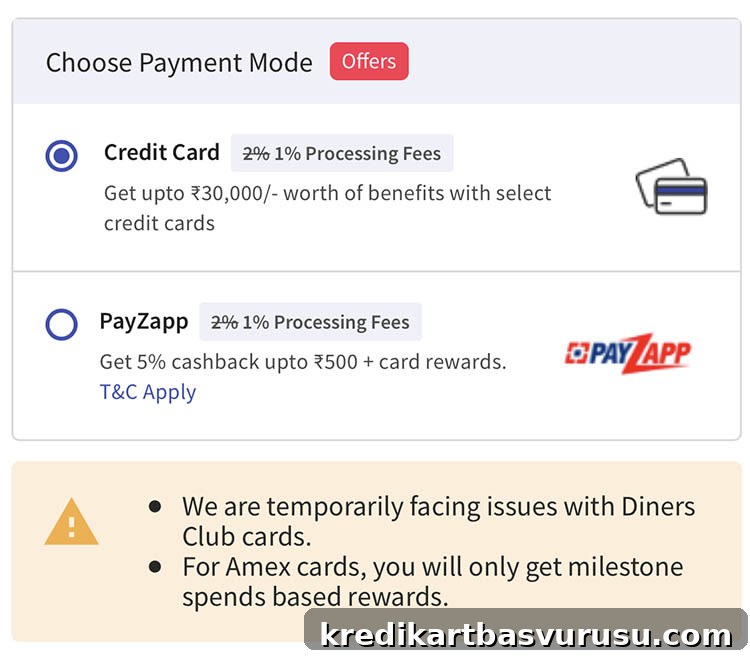
NoBroker has standardized its rent payment fees to a flat percentage, similar to other services in the market.
| Payment Type | Service Fee |
| Credit Cards | 1% to 2% |
| PayZapp (Wallet) | 1% to 2% |
At the time of writing, the typical NoBroker rent payment fee is 1% across supported payment methods. Fees may change, so confirm the exact charge before completing any transaction.
Rent Payment Process
- Step 1: Open the NoBroker app or visit the website.
- Step 2: Select the Pay Rent option.
- Step 3: Enter your details.
- Step 4: Provide landlord details and their bank account information.
- Step 5: Choose a payment method and complete the payment.
- Step 6: Payment complete — check your email for the rent receipt and tax invoice.
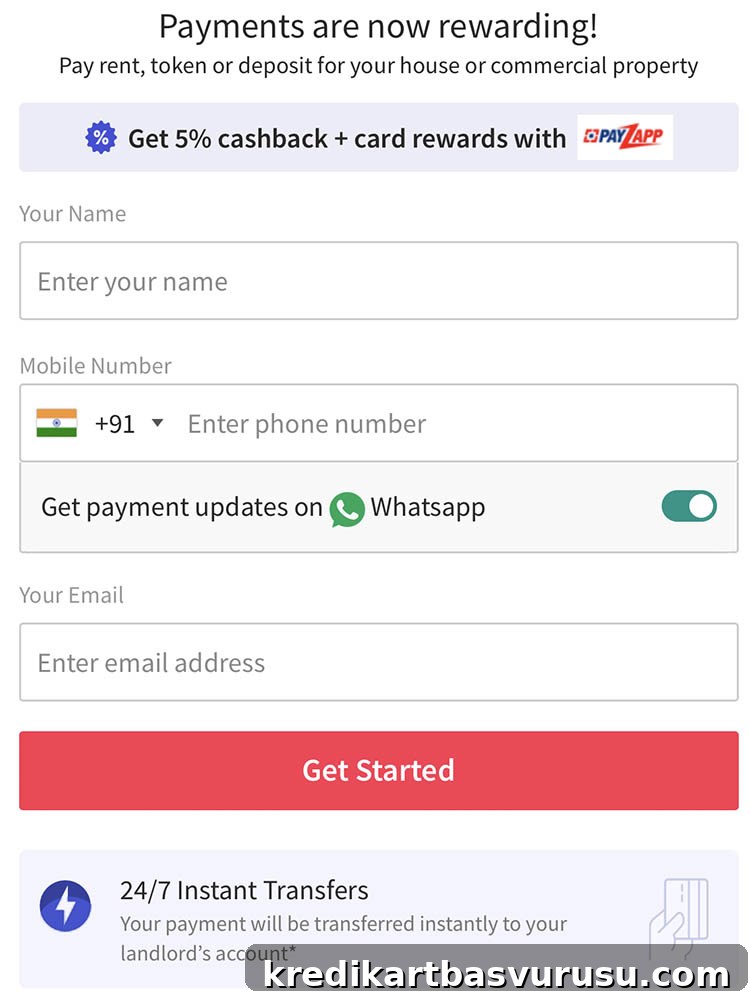
NoBroker provides a tax invoice after payment, which can be useful for record-keeping or accounting. Not all competing services offer this immediately, so this is a helpful addition for tenants who maintain formal accounts.
NoBroker PayZapp Offer
NoBroker has a promotional tie-up with PayZapp that has included offers such as 5% cashback up to Rs. 500 when you pay rent using PayZapp at checkout. Using PayZapp can also enable acceptance of card types that might not be available through the standard Credit Card option, including some Diners cards, making more cards usable on the NoBroker platform.
My Experience
I tested a payment through NoBroker using PayZapp and the landlord account received the funds almost instantly via IMPS, which is impressive. However, the app does not provide a clear history or status view of past rent payments in-app, which hurts the user experience.
Despite the lack of an in-app payment history, NoBroker sends multiple confirmations via email and SMS to both tenant and landlord, which helps verify the transaction.
Caution
Agreements: NoBroker may request a rent agreement. If you fail to submit a required agreement, they have applied additional charges in some cases (for example an extra 2% fee on top of the regular fee). Do not attempt to transfer rent to yourself, family members, friends, or the owner’s account without the necessary agreement documentation.
Promotional messages: After registering a payment, expect marketing emails and SMS — sometimes many — since NoBroker treats users as potential leads for their broader services. If you prefer minimal communication, be aware that messages may arrive even on numbers with DND enabled.
Verdict
- Cardexpert Rating: 4.5/5
NoBroker provides a convenient, low-fee option for paying rent online. Its quick transfers and tax invoice feature are definite advantages. The PayZapp cashback offers add value for eligible users. Keep in mind that rent payments may be categorized as “utility” spends, which can affect rewards on certain cards (for example, cards that don’t award points on utility transactions such as some AMEX products). You may still qualify for milestone benefits or annual fee waivers depending on your card’s terms.
Have you used NoBroker for rent payments? Share your experience in the comments below.