
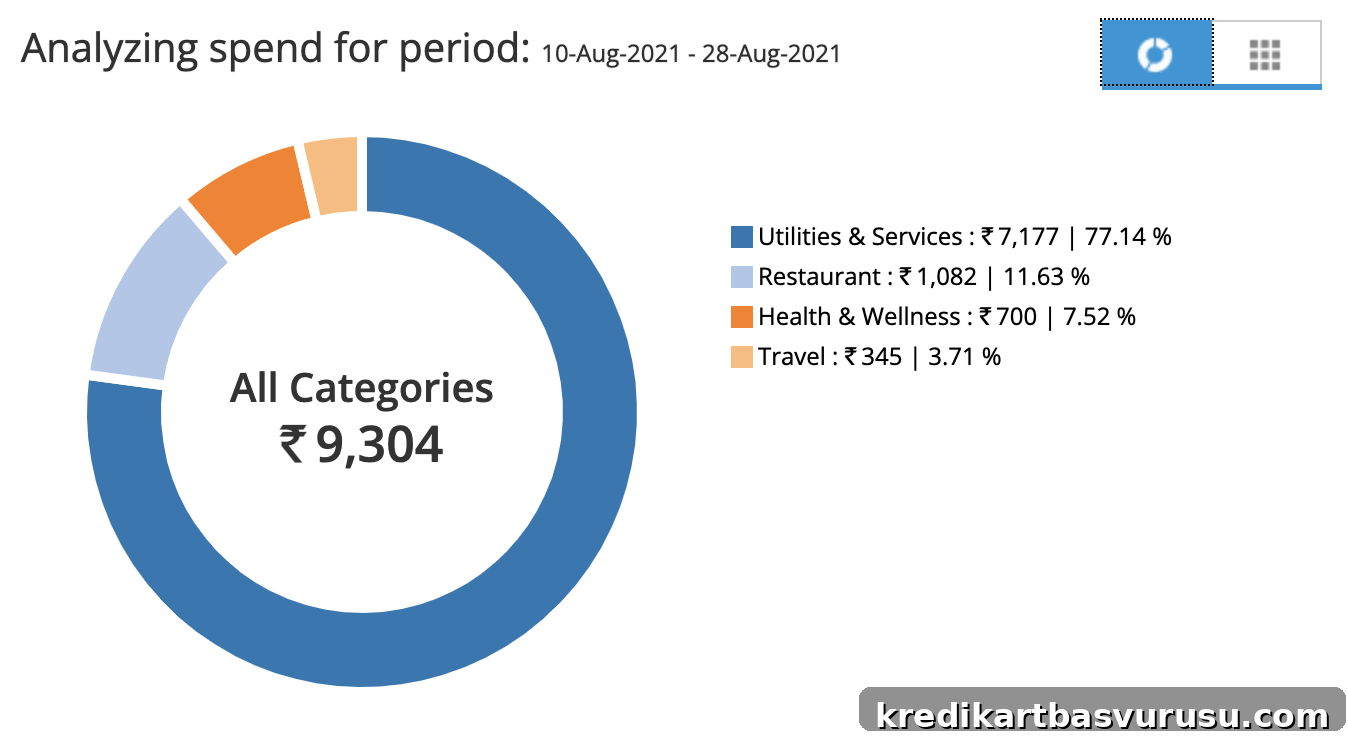
SBICard provides a useful tool called “Spend Analyzer” that helps cardholders monitor their monthly and annual spending across different categories. After logging into your SBICard account, you can access it here:
- My Account > Spend Analyzer
The Spend Analyzer is available on both desktop and mobile, but the mobile experience routes you through the ILA chat support bot. The bot presents data differently and can be less accurate, so for precise category tracking it is better to use the desktop interface.
One limitation to be aware of is how certain payments are classified. For example, shopping transactions processed through wallet-linked payment gateways may be treated as wallet spends by the analyzer. If accurate category reporting matters to you, prefer the desktop version where classifications tend to be more reliable.
Note: Data shown in the Spend Analyzer is not instantaneous; it typically takes 2–3 days for recent transactions to appear and for the summaries to update.
Another common issue arises when you pay your credit card bill using third-party platforms like CRED or Paytm. Those incoming payments can sometimes be interpreted as refunds rather than bill payments, which skews the spend summaries and category breakdowns. It would be helpful if the analyzer excluded these bill payments from the spend totals or treated them correctly to improve accuracy.
Why is it useful?
Spend Analyzer is a valuable feature for several reasons. It makes it easy to monitor important spend metrics on your SBICard account, such as:
- Annual spends (helpful for tracking eligibility for annual fee waivers)
- Milestone spends (quarterly or annual thresholds for rewards or benefits)
- Financial year spends (useful for tax or budgeting purposes)
- Transaction category checks (to verify how a purchase is classified)
Because annual spend calculations or milestone requirements can vary—especially for users whose cards have been upgraded or modified—the Spend Analyzer offers clarity without having to contact customer support. The category-check feature is particularly handy when the issuer runs targeted offers, such as cashbacks on specific kinds of online spending, since you can verify whether a transaction qualifies.
Final Thoughts
Overall, Spend Analyzer is a welcome addition for cardholders who want to track spending across an account without repeatedly calling support. It is especially useful for anyone managing multiple cards or monitoring progress toward spend-based benefits. While the tool is not perfect—mobile bot output and third-party bill payments can introduce inaccuracies—its presence is a step forward in giving users convenient, near real-time visibility into their card activity.
Other issuers sometimes provide yearly summaries by email, which is helpful, but a real-time, interactive tool like Spend Analyzer offers a more practical way to keep tabs on finances. It would be great to see similar tools rolled out by additional card providers so customers have consistent access to spend analytics across their accounts.